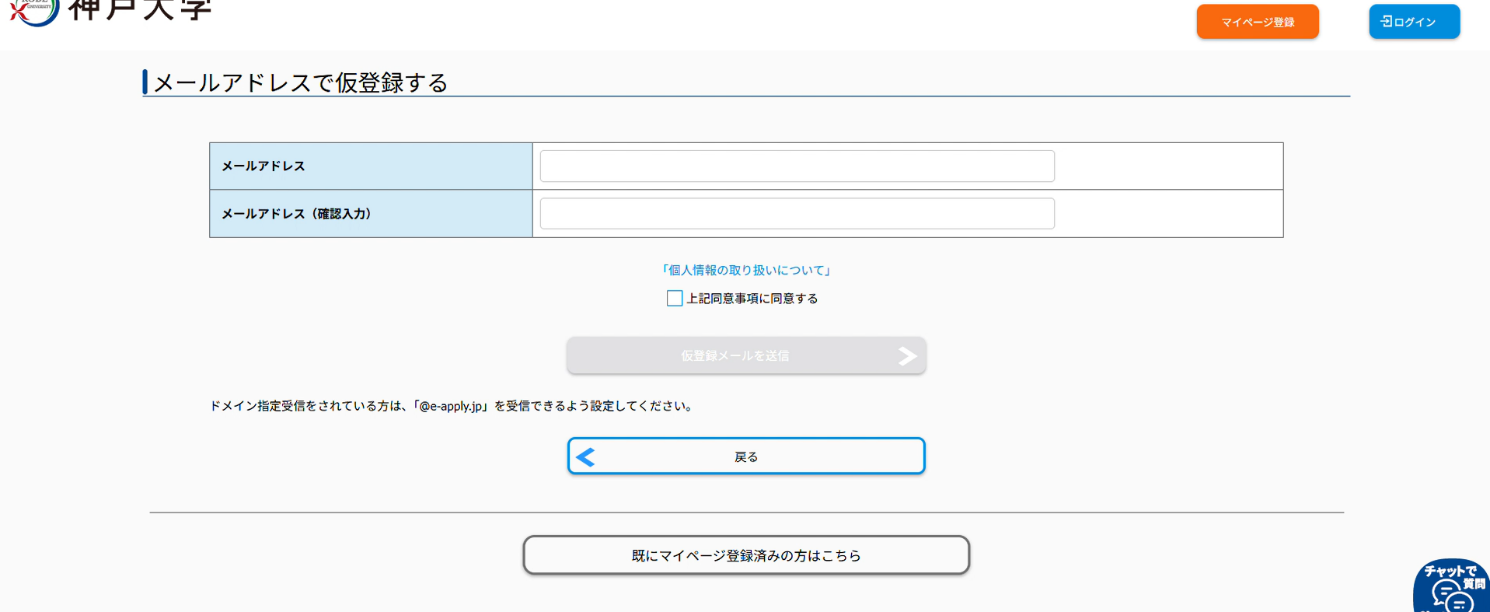
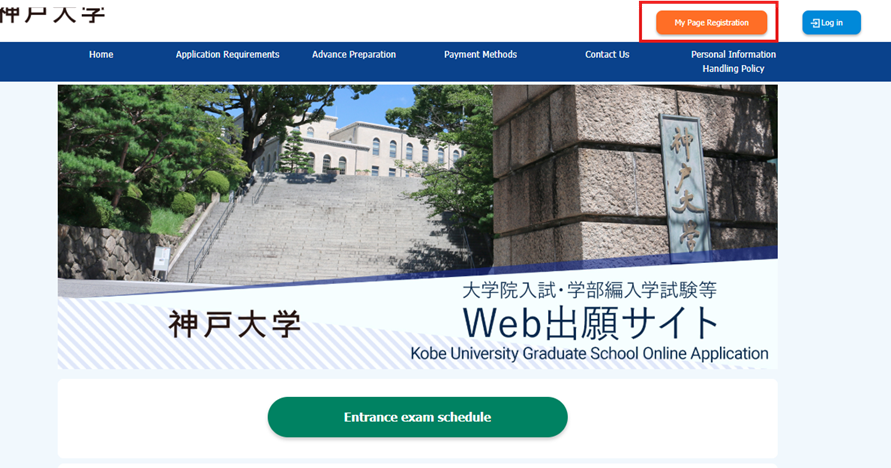
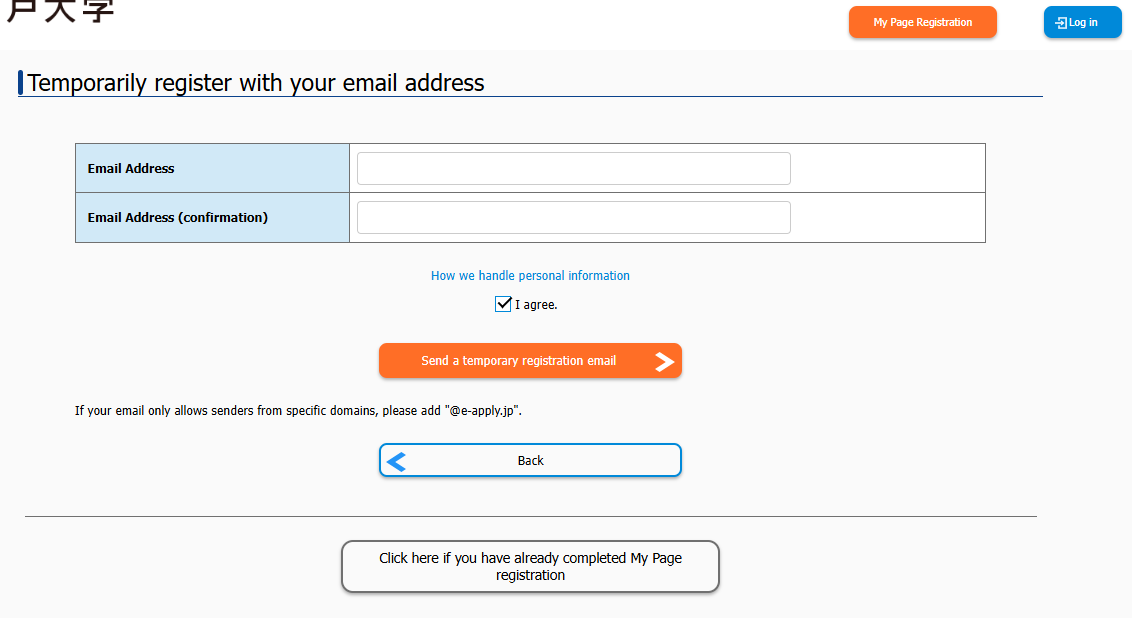
Enter the email address to be used for registration and review "How we handle personal information," press [I agree.], and then Press the [Send a temporary registration email] button.
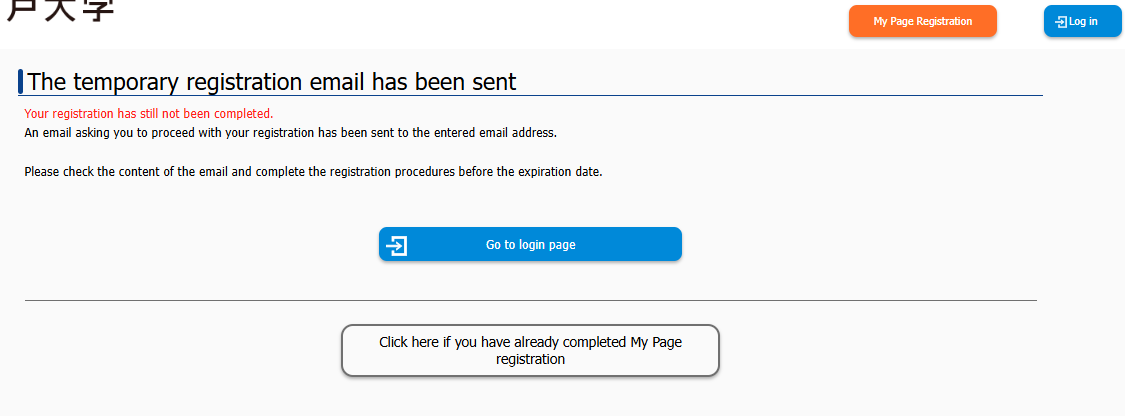
When the following screen appears, a Japanese email titled "【神戸大学】マイページへ本登録のご案内" will be sent to the registered email address from no-reply@e-apply.jp.When the following screen appears, a Japanese email titled "【神戸大学】マイページへ本登録のご案内" will be sent to the registered email address from no-reply@e-apply.jp.
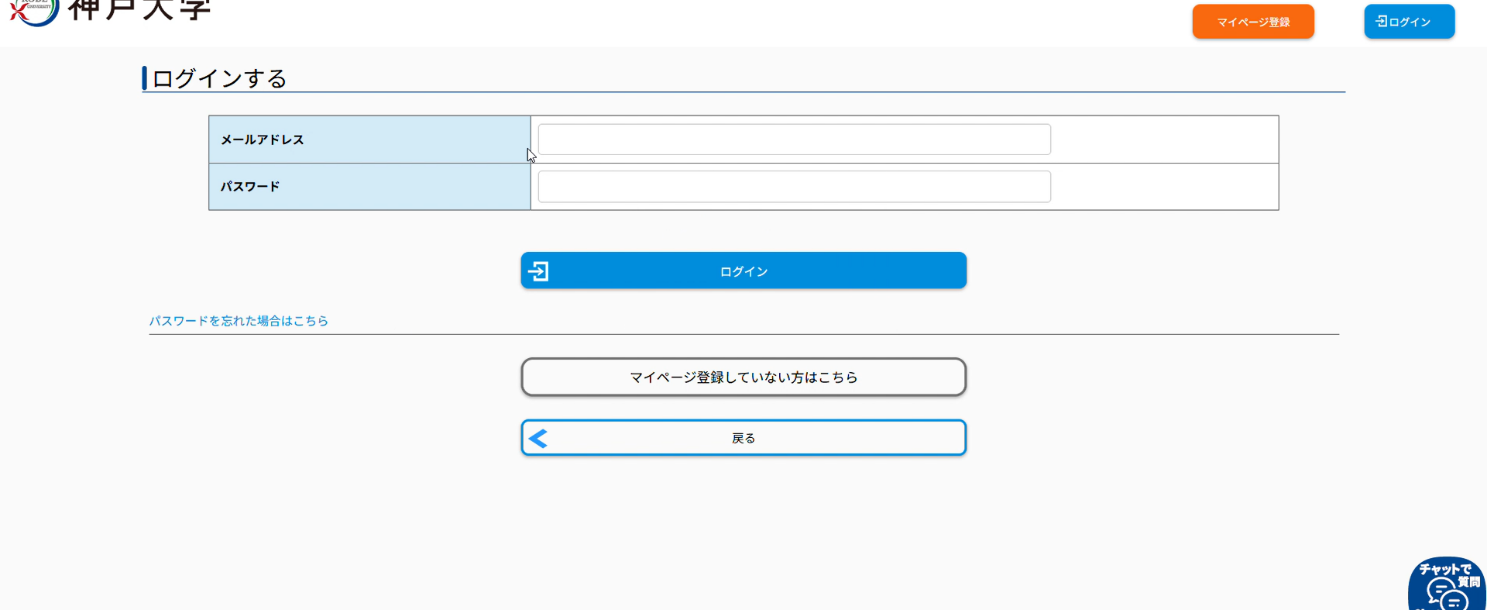
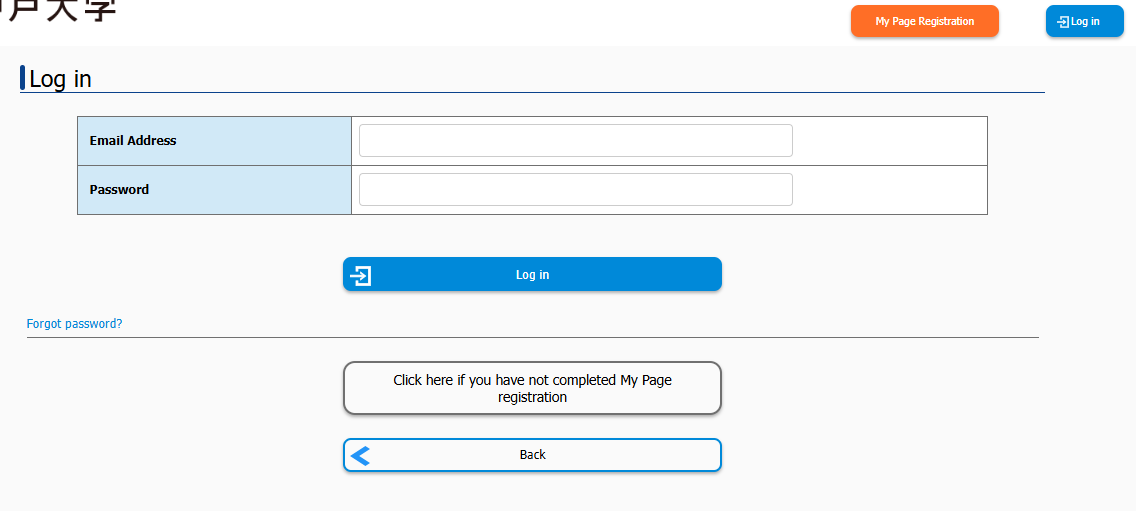
Access the full registration URL provided in the body of the "【神戸大学】マイページへ本登録のご案内" email, enter the login information (email address and password) from the email into the login screen and login.
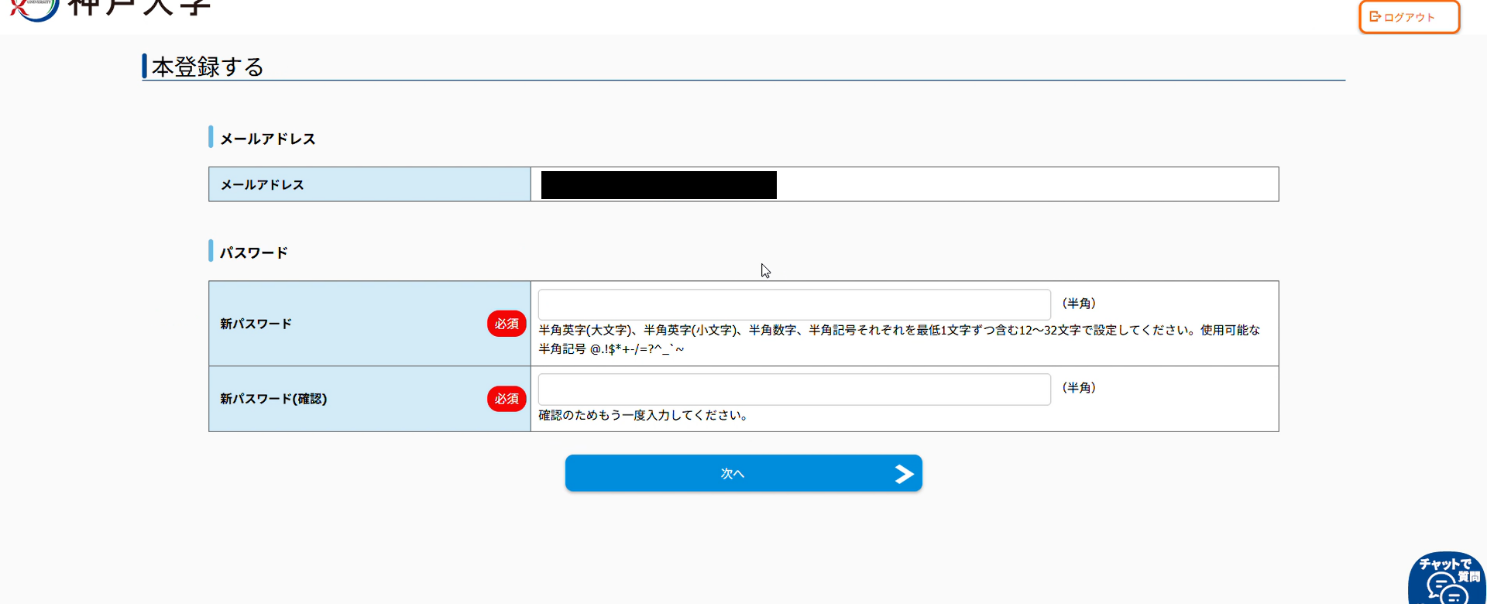
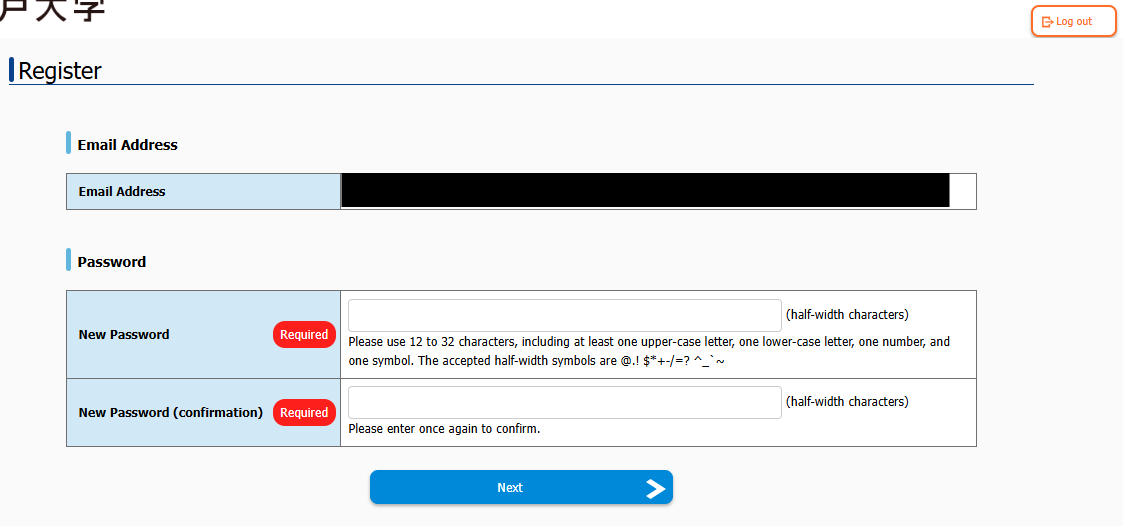
Set a new password and press the [Next] button.
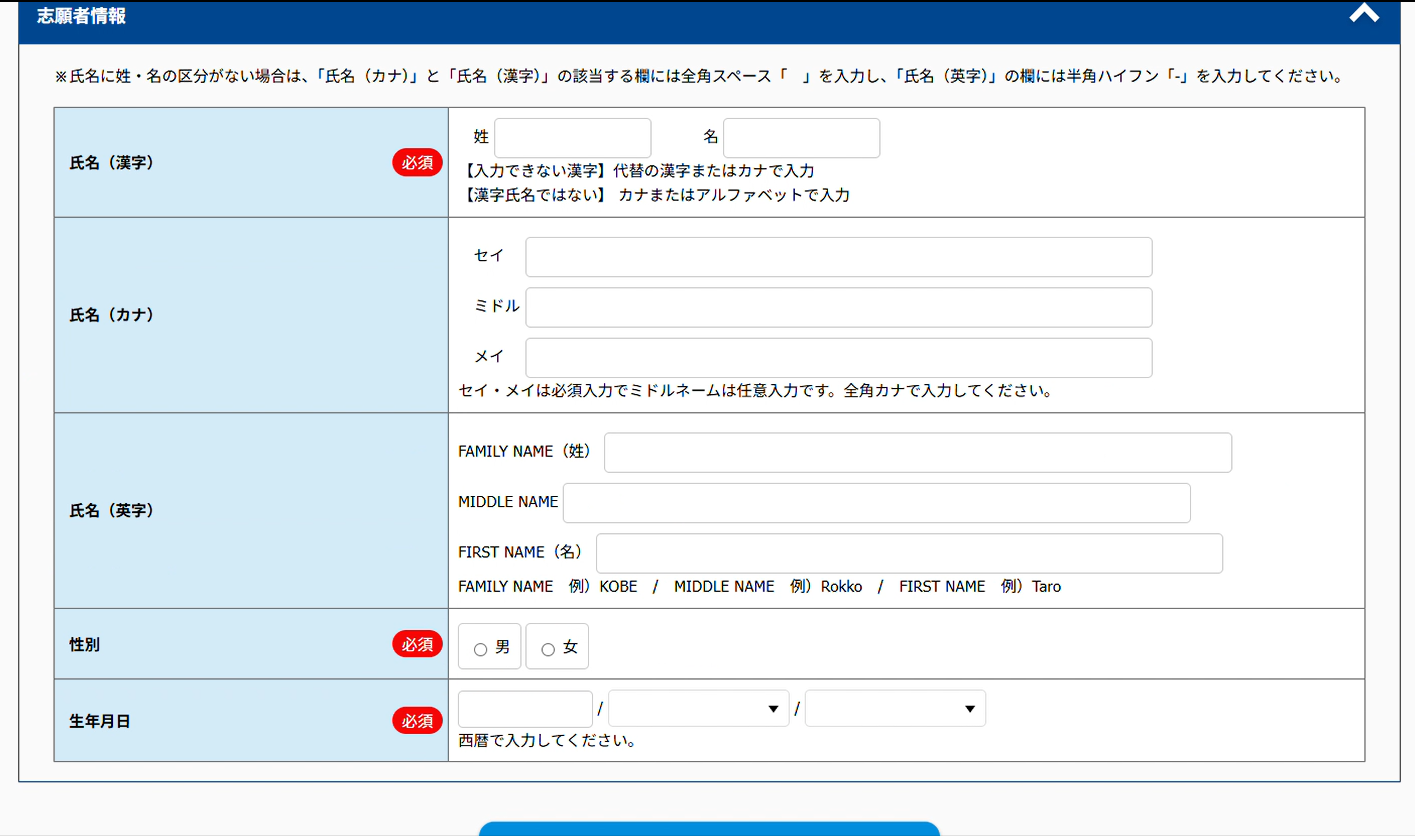
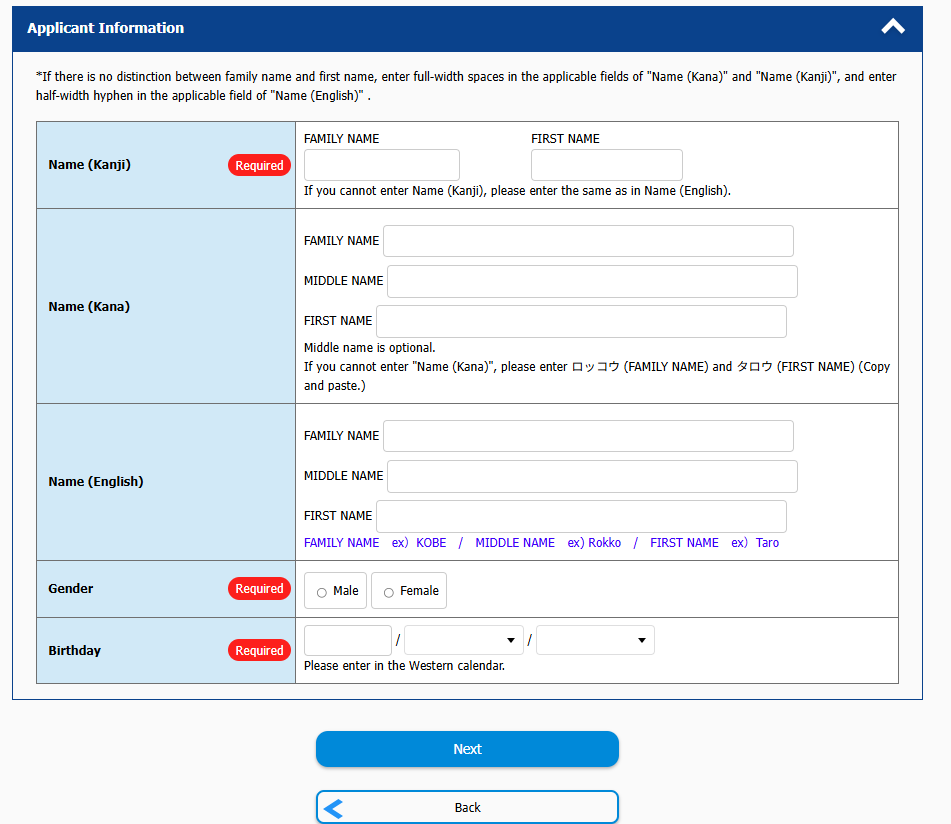
Enter the information in [Applicant Information] and press the [Next] button.
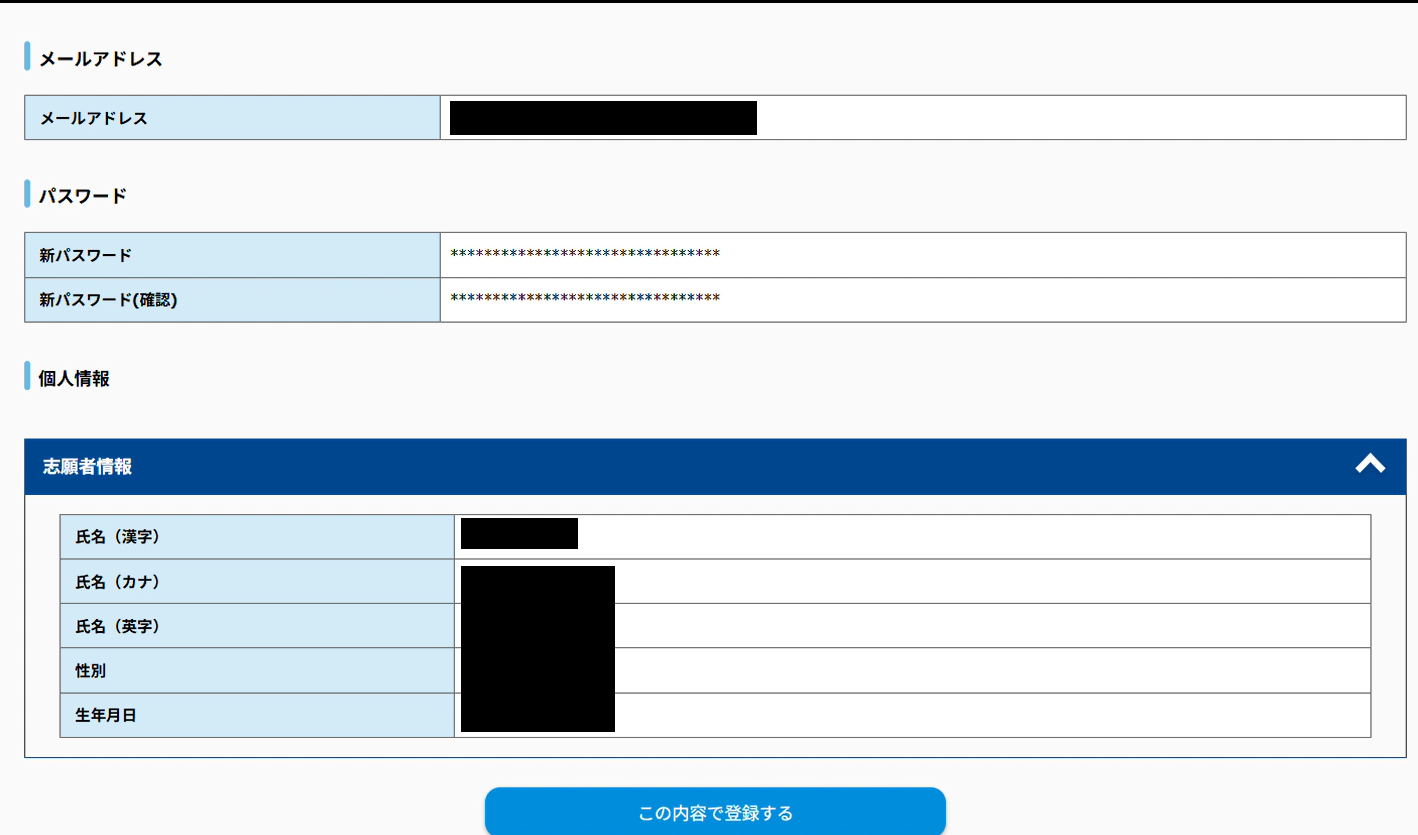
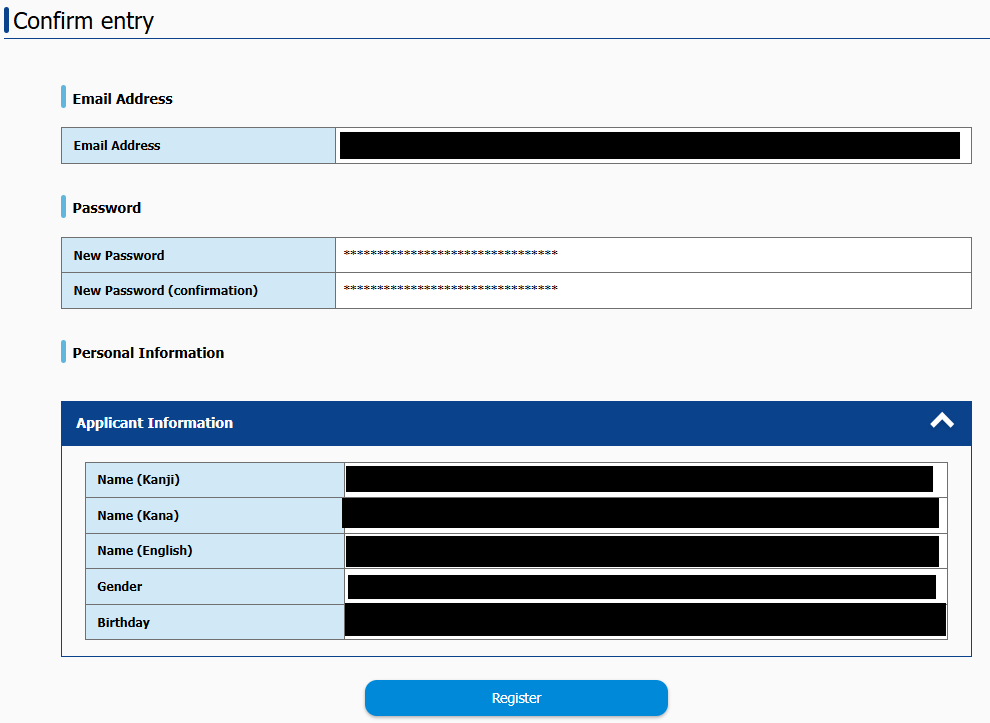
When the confirmation screen appears, verify that the entered information is correct and press the [Register] button.
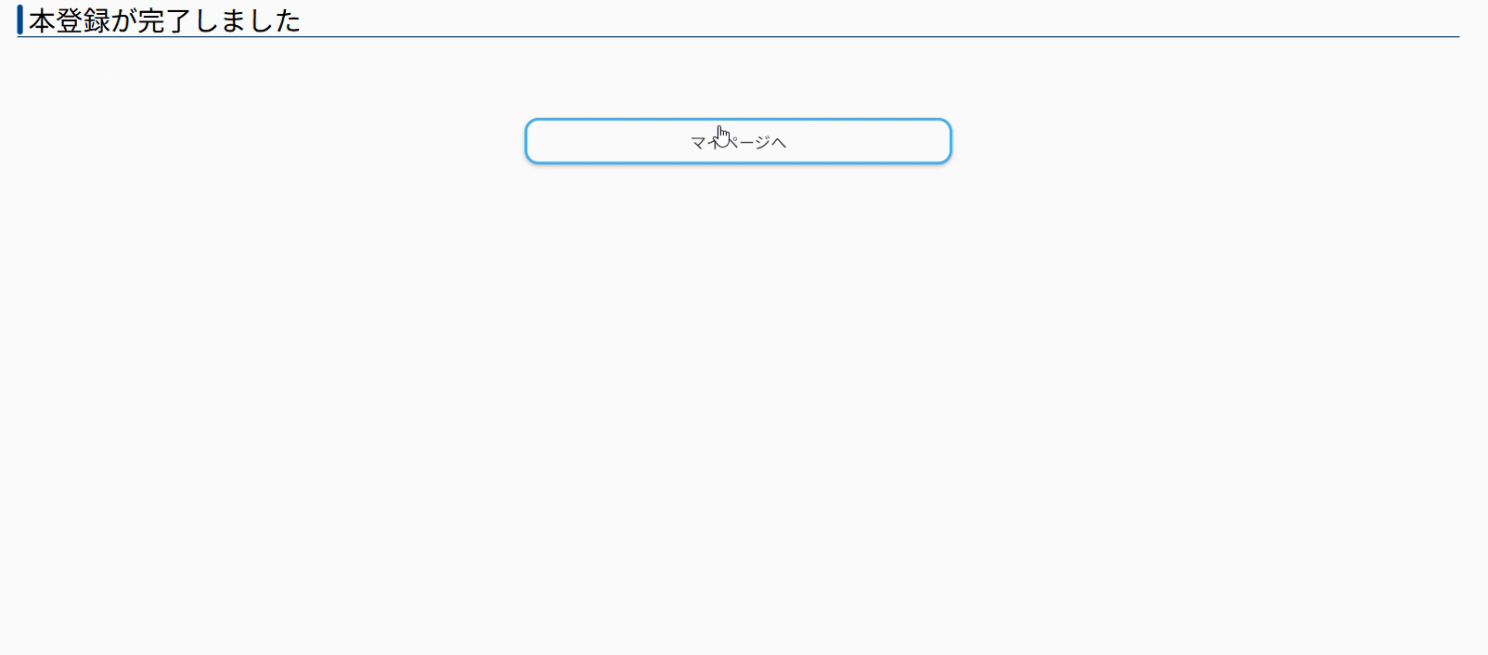
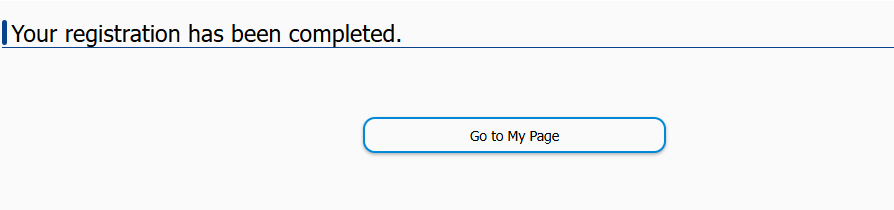
When the "Your registration has been completed." screen appears, your My Page registration is complete.
お問い合わせ先
〒657-8501 神戸市灘区六甲台町1-1
神戸大学農学研究科 教務学生係 ans-kyomu☆office.kobe-u.ac.jp メールでお問い合わせの場合は☆を半角@に置きかえてください TEL 078-803-5928(直通)